
AWS Lambda is a game changing server-less computing service offered by AWS. It allow developer to run code without provisioning managing server. And that's one of the major difference between using EC2 and Lambda function.
While we use EC2, we are responsible for creating and tearing down the instance once our job is done, as per requirement, however when we use Lambda its totally the Lambda function responsibility to create the EC2 and supporting infra for running the application.
Who Decides if Lambda function will be used or EC2 ?
This decision is totally dependent on the DEVELOPER and not the DEVOPS engineer, as they have created the system, so that we the best person to understand and decide if at all the Lambda function to be used or not
Key Benefits:
Serverless: No server management or provisioning required.
Event-driven: Code execution triggered by events, such as API calls or data changes.
Scalability: Automatically scales to handle high traffic or workload.
Cost-effective: Pay only for the compute time consumed.
Supported Language: Supports multiple programming languages, including Node.js, Python, Java, and more.
Use Cases:
Real-time data processing: Imagine you have a photo-sharing app, and users upload images every day. You can use Lambda to automatically resize or compress these images as soon as they are uploaded to S3.
API backend: Develop scalable API backends for web and mobile applications using Lambda. It automatically handles the incoming API requests and executes the corresponding functions..
Automated workflows: Automate tasks and workflows using Lambda functions.
IoT applications: Process and analyse IoT device data.
Machine learning: Run machine learning models and algorithms
Real-Time Analytics: Lambda can process streaming data from IoT devices, social media, or other sources, allowing you to perform real-time analytics and gain insights instantly.
Scheduled Data Backups: Use Lambda to create scheduled tasks for backing up data from one storage location to another, ensuring data resilience and disaster recovery.
Use case 1: All tough below use case is not that much needed by the Devops engineer, but this is jut to get reader introduces with Lambda Service feature and UI
In this use case we are trying to access the application that is not accessible to general public. We are going to use lambda function for this
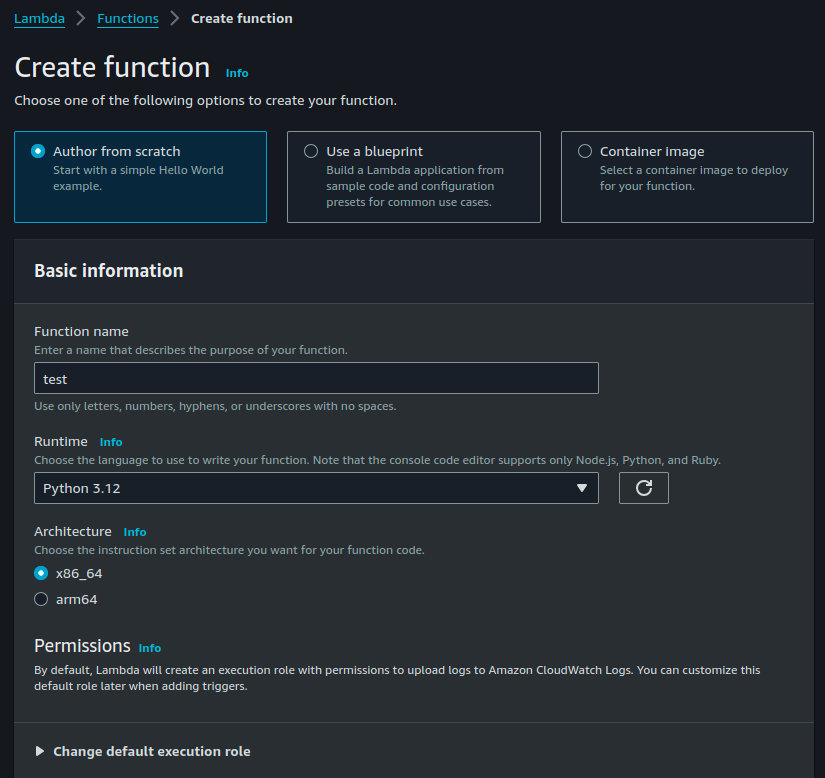
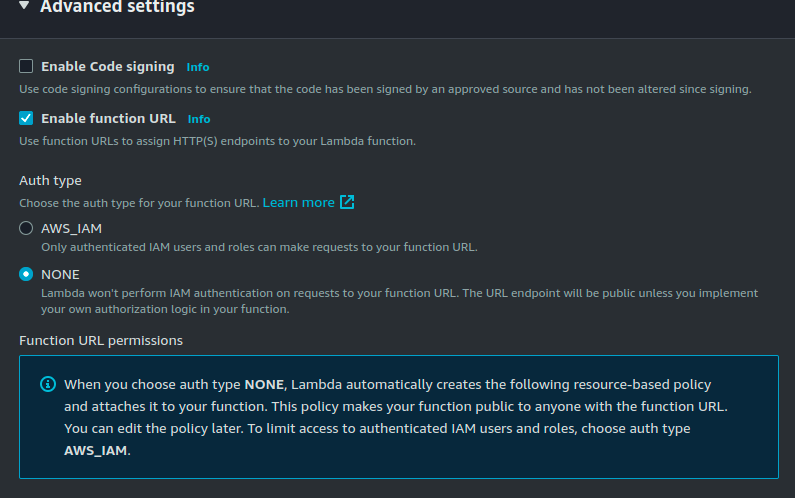
We should "Enable Function URL" so that we can get a Public IP and IAM User and role. For demo purpose we will set it to "NONE" so that anyone can access it
Then click on "Create", and done your function is created.
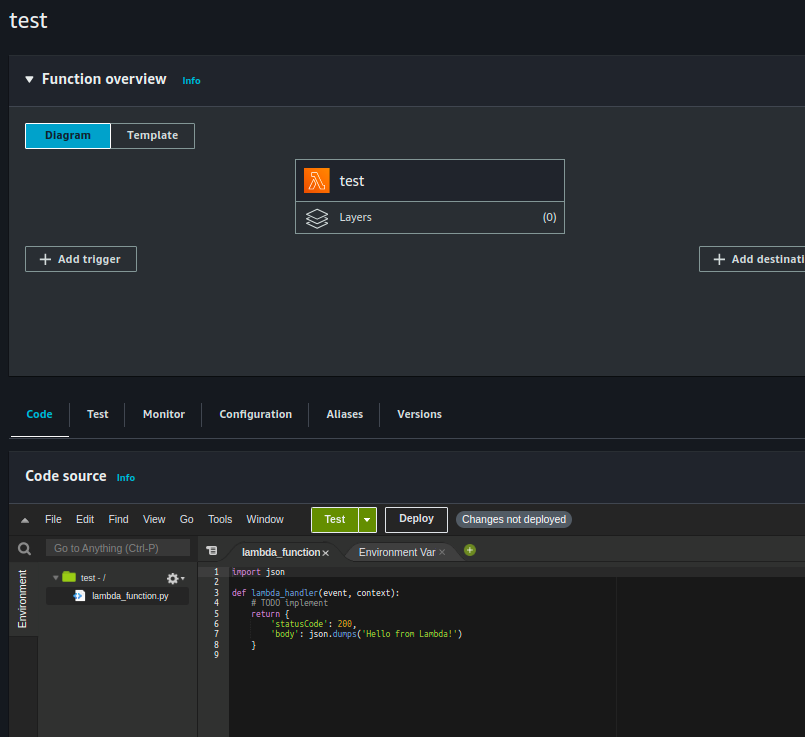
Trigger : is basically the event that you want to use, like when the lambda function to be invoked, like s3. Without the help of trigger the whole sense of creating Lamda is useless .
Destination: We can treat it like if particular lambda function is success/ fail and we want to send Notification using SNS, we configure it in Destination
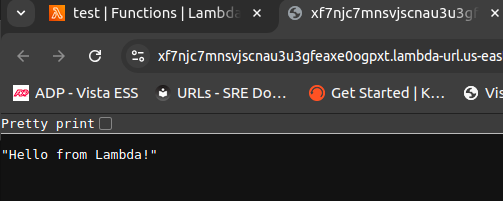
Now just try to access the function Url in Configuration section
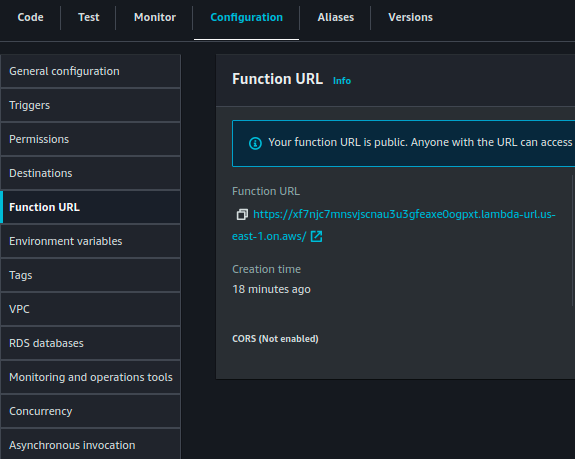
Below is the output
Comments
Join the discussionNo comments yet. Be the first to comment.
aws-cloud
Welcome to my dedicated AWS writing domain. Here, I break down cloud architecture, serverless systems, DevOps best practices, and practical AWS tutorials. This series centralizes all my cloud infrastructure deep dives into one unified space to help you build scalable and secure cloud applications.


